 Kiddy Timer
The visual timer for kids
Tap a picture, count down 3, 2, 1, and watch the time melt away. Calmer mornings, smoother bedtimes and screen time that ends without a fight.
 Coming soon
 Coming soon
- Pay once
- No ads
- No accounts
- iPhone, iPad & Android


Time is hard to see when you're little
"Five more minutes" means nothing to a three-year-old. Kiddy Timer turns time into a picture that slowly disappears, so kids can see what's left and the timer gets to be the bad guy instead of you.

Transitions without the tug-of-war
Shoes on, out the door, time for the bath. When the picture is gone, time is up. The timer says it, so you don't have to.
Screen time that ends calmly
Agree on 30 minutes together, start the TV timer and let the melting picture do the countdown. No surprise "off" button.
Routines kids run themselves
Brushing, dressing, tidying up: little ones start their own timer with one tap and feel proud when they beat it.
Tap, swipe, 3, 2, 1… go!
Simple enough for a toddler, quick enough for a busy parent.
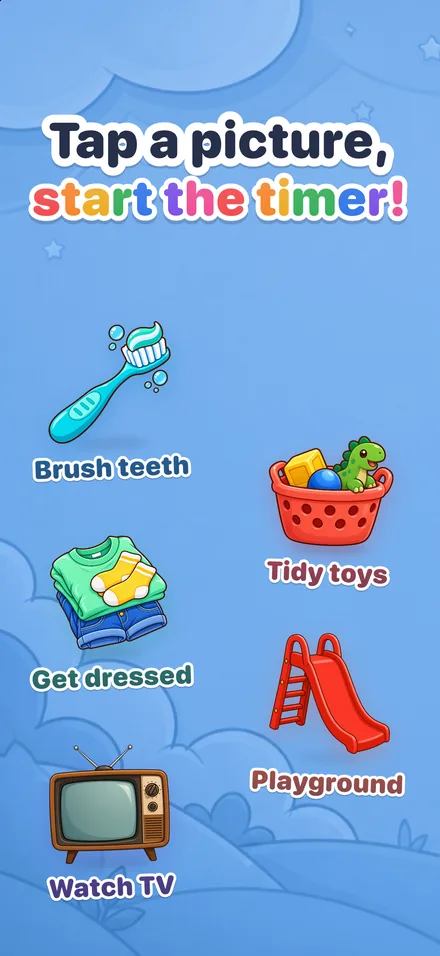
Tap a picture
Big, friendly pictures for brushing teeth, getting dressed, tidying toys, screen time and more.
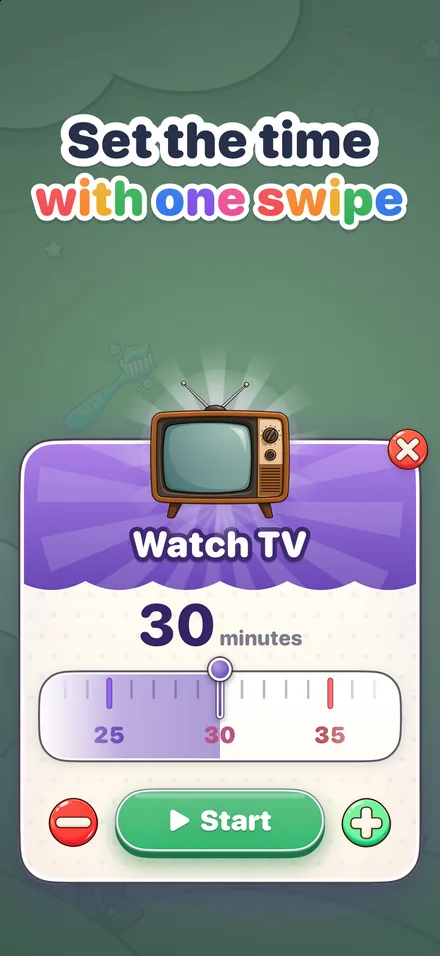
Set the time
One swipe on a playful ruler. Each timer remembers the length you used last time.

3, 2, 1… go!
A cheerful countdown makes starting feel like the beginning of a game.
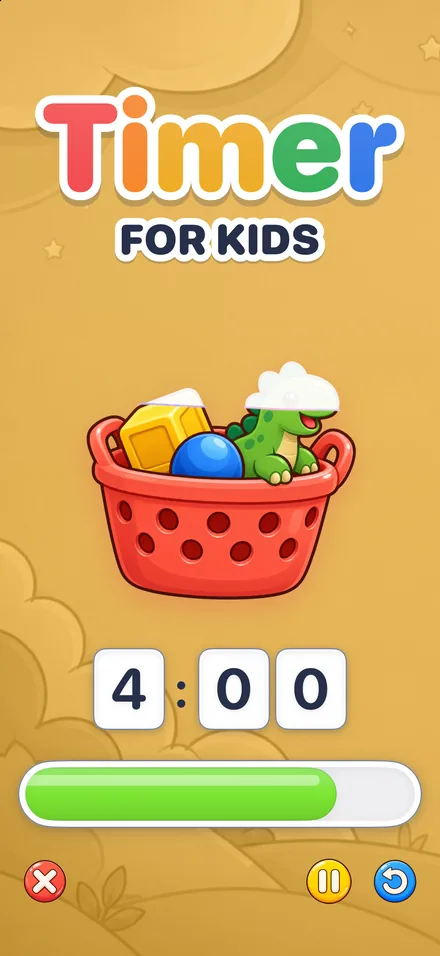
Watch it melt away
The picture slowly drains as the minutes pass. At the end: confetti and "You did it!"
29 picture timers, from breakfast to bedtime
Mornings, school, play, chores, meals and bedtime, each with its own picture and a sensible starting length.








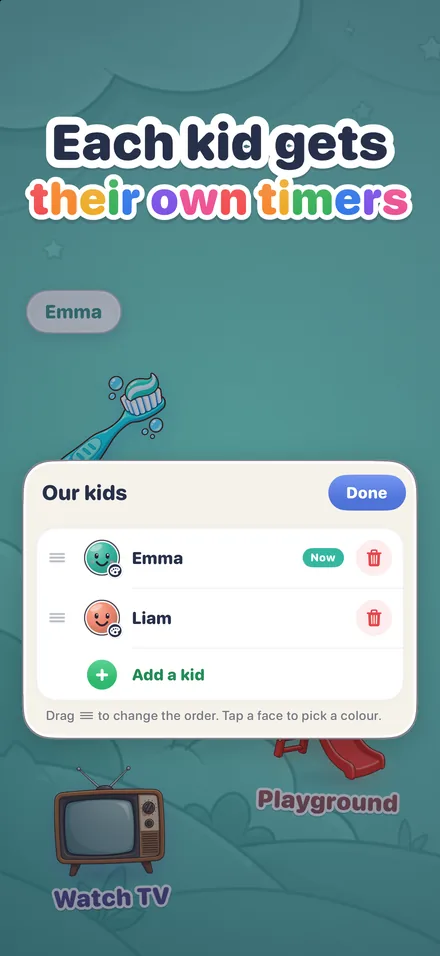
Each kid gets their own timers
Siblings don't share a morning, so they don't share a timer screen. Give every child their own home screen and switch with one tap.
- Their own name, color and set of timers
- Tap the name at the top to switch kids
- Every timer remembers the length it was last started with
- Adding and managing kids sits behind a parent gate
Every finish is a party
Kids get confetti and a big "You did it!" when the time is up. Grown-ups get the little extras that make a timer easy to live with.
- On iPhone: follow the countdown on the Lock Screen and in the Dynamic Island with Live Activities
- On iPhone and iPad: start a favorite timer from a Home Screen or Lock Screen widget
- A gentle alarm rings even when the phone is locked
- Kids and timers stay in sync across your iPhone and iPad with iCloud
- On Android phones and tablets too, in 49 languages

Made for kids, the way it should be
Kiddy Timer is a timer, nothing more. No one is selling anything to your child, and nothing about your family leaves your device.
Settings sit behind a simple parent gate, so little fingers stay in the timers. Read the privacy policy.
Have a look
Parents often ask
What is Kiddy Timer?
Kiddy Timer is a visual timer for young children. A child taps a picture, such as brushing teeth, getting dressed or watching TV, and a cheerful 3, 2, 1 countdown starts the timer. The picture then slowly melts away, so the child can see how much time is left, and every finish ends with a little celebration.
What ages is it for?
It is made for toddlers, preschoolers and young school kids, roughly ages 2 to 8: children who can't read a clock yet but can see a picture melting away.
How much does Kiddy Timer cost? Are there ads?
Kiddy Timer is a one-time purchase: you pay once and get every timer and feature, for every kid in the family. There are no ads, no in-app purchases, no subscriptions and no accounts.
Which devices does it run on?
iPhone and iPad, from the App Store, and Android phones and tablets, from Google Play. On iPhone and iPad it also shows Live Activities on the Lock Screen and in the Dynamic Island, has Home Screen and Lock Screen widgets, and keeps kids and timers in sync through iCloud.
Can I use it for more than one child?
Yes. Each kid gets their own home screen with their own name, color and timers. Tap the name at the top to switch between kids.
How long should each timer be?
The starter timers use practical lengths: 2 minutes for brushing teeth, 5 to 15 minutes for quick transitions and 30 minutes for screen time. You can change the time with one swipe before each start, and every timer remembers the length it was last started with.
Does Kiddy Timer collect any data?
No. There is no tracking and no data collected. Your kids' names and timers stay on your device, and on iPhone and iPad they can sync through your own iCloud account if you turn that on. The privacy policy has the details.
Ideas for calmer days
Make time easy to see
Get Kiddy Timer on iPhone, iPad and Android. Pay once: no ads, no accounts, just a happy little timer.
Coming soonComing soon