 Kiddy Timer
The show ends, you reach for the remote, and within seconds someone is crying on the floor. If you've ever searched for how to end screen time without a tantrum, you're far from alone. Turning off the TV is one of the most common flashpoints of family life, and it happens for very understandable reasons.
The good news is that a few simple habits, used consistently, make the end of screen time predictable and much calmer. None of them require you to be stricter. Most of them are about what happens before the screen goes off.
Why turning off the TV leads to a meltdown
From a young child's point of view, the end of screen time often goes like this: they're completely absorbed in something they love, and then, with no warning they understood, it disappears. A grown-up decided, and they had no say.
A few things make this harder:
- Time is abstract to little kids. "Half an hour" doesn't mean much to a three-year-old, so the end always feels sudden.
- Shows and games rarely pause on their own. One episode rolls straight into the next, and many games never really end.
- Switching tasks is hard. Plenty of adults struggle to put down a phone. Asking a small child to stop something fun and start something ordinary takes real effort.
- You become the bad guy. When the decision comes from you, in the moment, it's easy for your child to fight you about it.
A turning-off-the-TV meltdown is rarely about the show itself. It's about surprise and a lack of control. So the fix is to take away the surprise and give your child a little control back.
How to end screen time without a tantrum, step by step
1. Agree on the length before the screen goes on
The best time to decide when screen time ends is before it starts, while everyone is still calm. Keep the agreement short and cheerful:
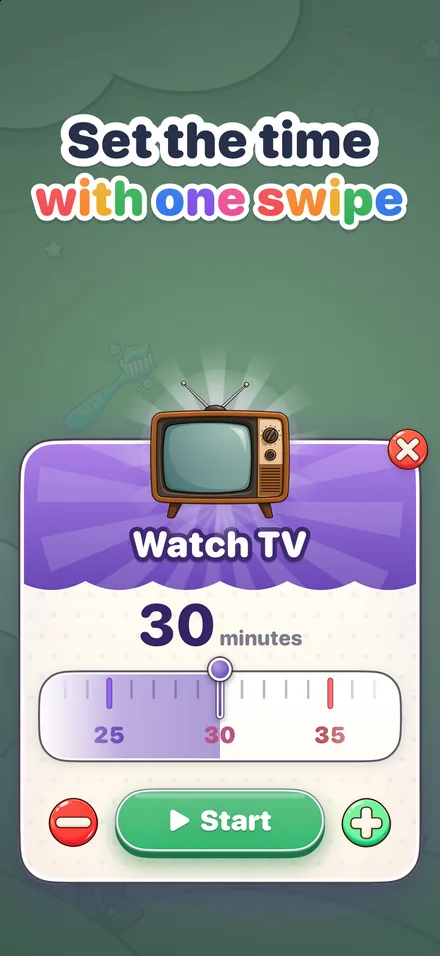
"You can watch for 30 minutes today. Do you want to set the timer?"
Letting your child set it, or at least press start, matters. It turns your rule into a shared plan. Keep the length the same from day to day so there's nothing to bargain over. If you're happy to allow "one more episode," build that into the agreement now, not when the time runs out.
2. Make the countdown visible
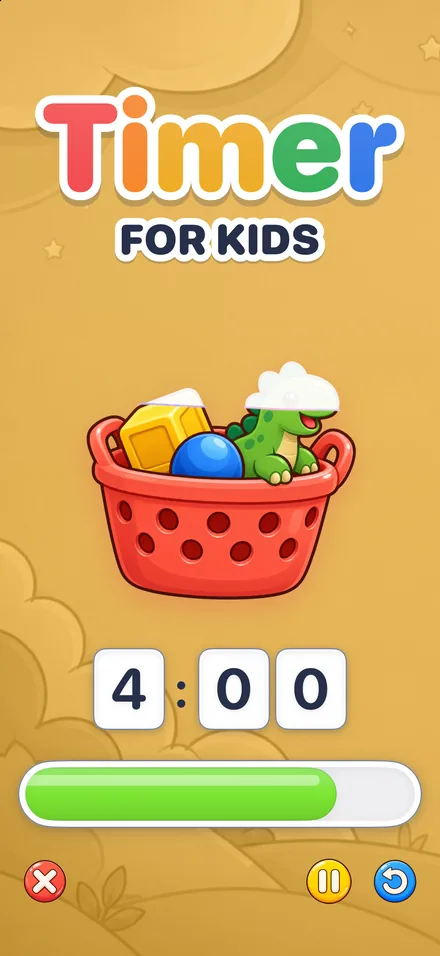
A screen time transition goes far more smoothly when your child can watch time passing. A visual timer for kids shows the time left as a shrinking picture, so your child doesn't need to read a clock or keep asking how long is left.
Put the timer where your child can see it from the couch. If they're watching on a tablet, run the timer on a different device, like your phone propped up next to them, so it stays in view the whole time.
3. Give warnings before the end
Even with a visible timer, a heads-up helps. Two warnings work well for most young kids:
- About five minutes before: "Look at the TV picture. There's only a little bit left. When it's gone, the TV goes off."
- About one minute before: "Almost done. Let's watch the end together."
Point at the timer when you give a warning instead of just saying the number. You want your child to connect what you say with what they see. If a natural stopping point is coming up, like the end of an episode, mention it: "When this episode finishes, we're all done."
4. Have a "what's next" plan
Stopping is hard. Stopping with nothing to go to is harder. Before the timer runs out, know what comes next and say it out loud:
"When the picture is gone, we're going to make a snack together."
The next activity doesn't need to be exciting, but it helps if your child can picture it: a snack, a trip to the playground, building with blocks, feeding the dog, bath time. "First TV, then snack" is a simple sequence even a toddler can follow.
If screen time comes right before bed, make the next step the first part of your bedtime routine. Our guide to a toddler bedtime routine has a sample sequence that picks up right where the TV ends.
5. Stay calm and consistent
When the timer ends, the screen goes off. Every time. This is the part that makes the other four steps work. If a tantrum sometimes buys five more minutes, your child will learn that tantrums are worth a try.
You can be kind and firm at the same time:
"I know, it's hard to stop when the show is fun. The timer's done, so the TV is off. Let's go make that snack."
If your child doesn't turn it off, do it yourself, calmly and without a lecture. Then move on to the next thing. Short sentences, a steady voice and no bargaining go further than long explanations.
A screen time transition script you can use
Here's the whole routine in one place. Change the words to fit your family, but keep the order:
- Before: "TV time is 30 minutes. Do you want to start the timer?"
- Start: Your child taps Start and watches the 3, 2, 1. "Enjoy your show!"
- Five minutes left: "Look, just a little picture left. When it's gone, TV is done and we'll make a snack."
- One minute left: "Almost done. Let's watch the very end."
- Time's up: "The timer's done. You stopped right on time. High five! Now, snack."
- If there's protest: "You wish it could keep going. It's okay to feel sad. The TV is off now. Come help me get the snack ready."
Tip: praise the stop, not just the show. "You turned it off when the picture was gone, even though you wanted more. That was hard, and you did it." Kids repeat what gets noticed.
Video games, tablets and screen time transitions
Video games are trickier than TV because they rarely end on their own. A few adjustments help:
- Warn earlier. Give the first warning a little sooner so there's time to finish a level or reach a save point.
- Agree on the stopping point. "When the timer ends, finish the race you're in, then it's off." Settle this before the game starts.
- Keep the timer off the game screen. A timer running on a separate phone or tablet stays visible while the game is on.
- Use the same length every day. Consistency beats perfection. Pick a length that works for your family and stick with it.
With Kiddy Timer on iPhone and iPad, the alarm rings even when the phone is locked, and a Live Activity shows the countdown on the Lock Screen and in the Dynamic Island, so you can keep an eye on it while you get dinner going. The full list is on the features page.
When the meltdown happens anyway
Some days, nothing works. Your child is tired, hungry or just having a hard time. That's normal, and it doesn't mean the plan has failed. When it happens:
- Stay close and stay calm. You don't have to fix the feeling, just ride it out together.
- Keep your words short: "You're upset. The TV is off. I'm right here."
- Don't turn the screen back on to stop the crying. That's the moment when consistency counts most.
- Move to the next activity once they're ready, and keep it simple.
- Try again tomorrow, exactly the same way. Most kids settle into the routine once they see it doesn't change.
Making the new habit stick
The first few days of any new screen time rule can be bumpy, so expect some testing. What helps most is doing the same thing every day: same length, same warnings, same next step. After a while, the end of screen time stops being a fight and becomes just another part of the day.
Kiddy Timer is built to make that repetition easy. Each timer remembers the length it was last started with, so if TV time was 30 minutes today, it's 30 minutes again tomorrow. If you have more than one child, each gets a home screen with their own name, color and timers; tap the name to switch. You can see the whole flow in how it works.
Questions parents ask
How much warning should I give before turning off the TV?
Two warnings work well for most young kids: one about five minutes before the end and one about a minute before. Point at the timer while you say it, so your child connects your words with the time they can see.
Should I let my child finish the episode?
That's fine, as long as you decide it before screen time starts. Agree on the stopping point up front, such as the end of the episode or the end of the timer, and stick to it instead of negotiating when time is up.
What should I do if my child refuses to turn off the screen?
Calmly turn it off yourself, name the feeling and move on to the next activity. Avoid lectures, and don't add time to stop the crying, because that teaches your child that protesting works.
Does a timer work for video games too?
Yes. Games rarely have a natural ending, so give the first warning a little earlier to leave time to finish a level, and agree on the exact stopping point before the game starts.