 Kiddy Timer
"Five more minutes" means almost nothing to a three-year-old. It might feel like a second or like forever, and it usually feels like whatever they want it to be. A visual timer for kids solves that by turning time into something a child can see: a picture, a colored shape or a bar that gets smaller as the minutes pass. When it's gone, time is up. No clock reading, and no arguing about whether it's been five minutes yet.
This guide covers what a visual timer is, why it works so well for toddlers and young kids, when to use one, how to introduce it, and the mistakes that quietly undo it.
What is a visual timer for kids?
A visual timer is any timer that shows how much time is left as a shape instead of, or as well as, numbers. The classic version is a clock face with a colored disc that shrinks as the minutes run down. Apps do the same thing with pictures, progress bars and animations.
The idea is simple: your child should be able to glance at it from across the room and know, without asking you, whether there's a lot of time left, a little, or none.
A good kids timer also has a clear ending. A sound, a small celebration or a picture that has completely disappeared tells your child "this part is finished" in a way that doesn't have to come from you.
Why a visual timer works for toddlers and young kids
Adults think about time in units: minutes, hours, "after lunch." Young children don't have that yet. For a toddler, time is mostly now and not now. Ask a four-year-old to tidy up "in ten minutes" and you've given them a number they can't feel.
A visual timer for toddlers turns that abstract number into something concrete. Here is what changes when kids can see time:
- Endings stop being a surprise. When your child has watched the picture shrink for ten minutes, the end of playtime is expected rather than sudden.
- The timer becomes the referee. "The timer says it's time" lands very differently from "Because I said so." You stay on your child's side while the timer holds the line.
- Kids can check for themselves. Instead of asking "How much longer?" every two minutes, they look. That gives them a bit of independence and gives you a bit of quiet.
- Short tasks feel finite. Two minutes of brushing teeth is much easier to accept when your child can see the end coming.
None of this is magic. A visual timer won't make a tired child happy to leave the park. But it removes a lot of the confusion that turns ordinary moments into standoffs.
When to use a kids timer
You can use a visual timer for almost anything with a start and an end. These are the moments where parents tend to find it most helpful:
- Transitions. "When the picture is gone, we put on shoes and go." A 5 to 15 minute timer before leaving the house, coming in from the yard or getting into the bath gives your child time to wrap up what they're doing.
- Screen time. Agreeing on a length and letting your child watch it run down is one of the gentlest ways to end a show. We cover this step by step in how to end screen time without a tantrum.
- Daily routines. Brushing teeth, getting dressed, tidying toys, bath time. A short timer for each step keeps the morning moving and bedtime calm. Our sample morning and bedtime routines suggest minutes for every step.
- Waiting. "Is it time yet?" A timer answers the question before it's asked, whether you're waiting for cookies to cool or for a friend to arrive.
- Taking turns. A few minutes each on the swing or with the new toy, with the timer deciding when it's the next child's turn.
- Focused activities. Reading, drawing, homework or music practice. For a child who wants to quit after thirty seconds, a visible end point makes the effort feel manageable.
- Calming down. A few quiet minutes with a timer can help a child reset, as long as it's framed as a break and not a punishment.
How to use a visual timer: introducing it to your child
How you introduce the timer matters more than which timer you pick. A few days of setting it up well makes it something your child trusts rather than something they dread.
1. Start with something fun
If the first time your child meets the timer is when it ends their favorite show, they'll learn that the timer means bad news. Start with something they enjoy instead: "Let's see if we can build a tower before the picture is gone." Or count down to something good: "When the timer's done, we'll go to the playground."
2. Let your child start it
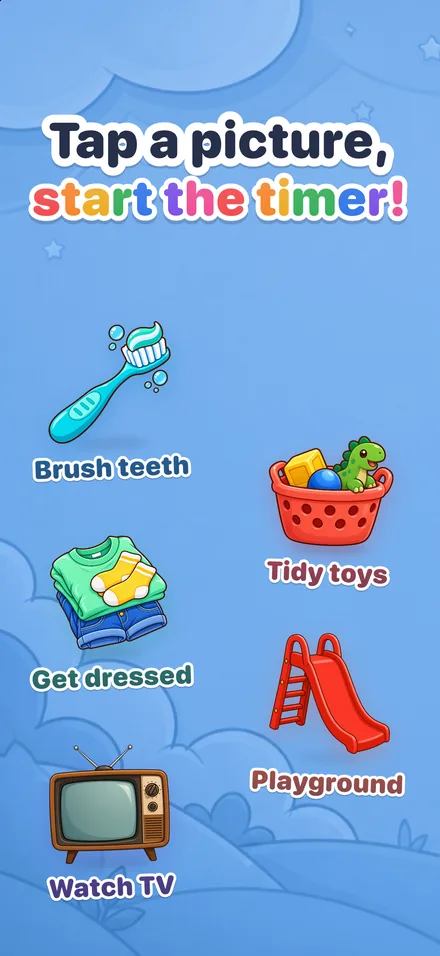
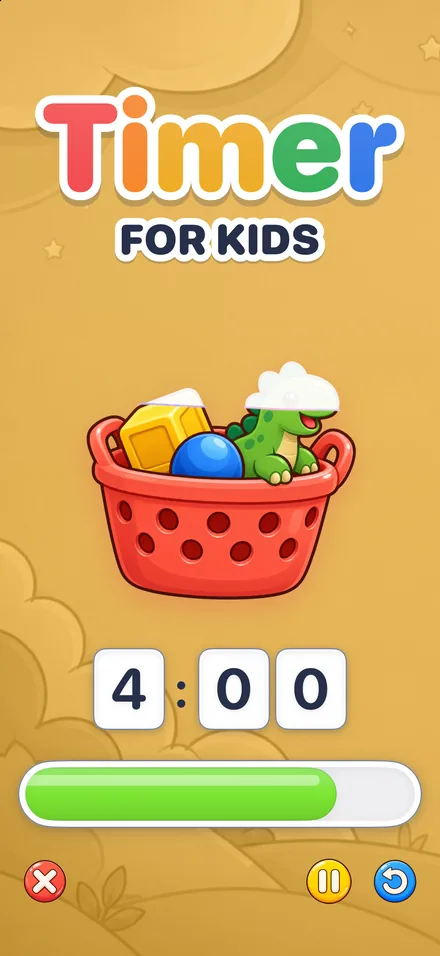
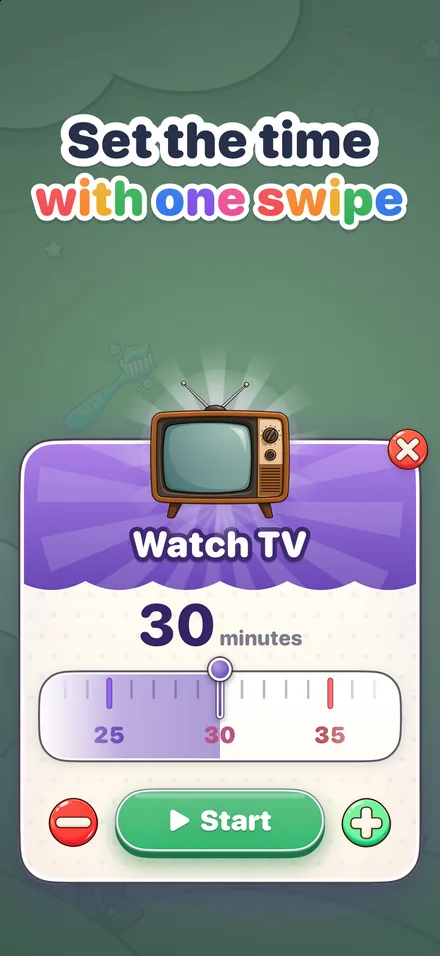
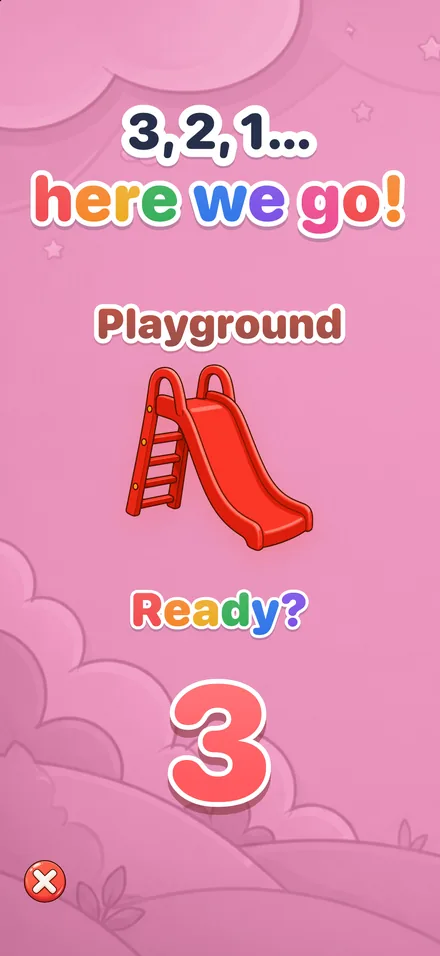
Children cooperate far more with things they control. Let them press the button, turn the dial or tap the picture. In Kiddy Timer, your child taps a big picture, sets the minutes with one swipe on a playful ruler, and a cheerful 3, 2, 1 countdown starts the timer. That small ritual makes it their timer.
3. Explain it in one sentence
Keep it short and concrete: "See the picture? It gets smaller and smaller. When it's all gone, bath time is over." Don't try to explain minutes. The picture is the explanation.
4. Point, don't repeat
Halfway through, you might say: "Look, half the picture is left." Near the end: "Just a tiny bit left!" Then let the timer do the reminding. If you keep calling out "two more minutes," the timer turns into background noise and you're back to being the clock.
5. Follow through when it ends
This is the step that makes everything else work. When the timer ends, the activity ends, calmly and every time. If the timer sometimes means "stop" and sometimes means "okay, a little longer," your child will learn to argue with it.
6. Celebrate the finish
Mark the end with something positive, especially after a task: "You brushed the whole time. You did it!" Kiddy Timer finishes with confetti, a flag and "You did it!" so the end of a timer feels like a small win, not just a stop.
Tip: use the same length for the same task every day. Two minutes for brushing teeth, ten for getting dressed. Kids quickly learn how long "the teeth picture" lasts, and that predictability does a lot of the work for you.
Visual timer mistakes to avoid
When a visual timer "stops working," it's usually for one of these reasons:
- Adding time when your child protests. Once a meltdown can buy five more minutes, the timer becomes the start of a negotiation. If you want to allow extra time, decide before you start the timer, not when it ends.
- Using it only for endings. If the timer only ever takes fun away, your child will resent it. Mix in timers that lead to something good, and timers for tasks with a celebration at the end.
- Using it as a threat. "You have one minute or there's no dessert" turns a neutral tool into a punishment. Keep the timer about time, and handle consequences separately.
- Setting it too long. A 40-minute tidy-up is hard for a small child to stay with. For toddlers, shorter is better, so break big jobs into a few smaller timers.
- Keeping it out of sight. A visual timer only works if your child can see it. Put it where they're playing, not in your pocket.
- Quietly changing the time. Kids notice. If you secretly cut a timer short, they'll stop trusting it, and you'll lose the referee you were relying on.
What to look for in a visual timer for kids
Whether you choose a physical timer or an app, a few things make a real difference for young children:
- Simple enough for your child to start. If only you can work it, it stays your timer.
- Time shown as a picture, not just numbers. Your child should understand it without reading.
- A clear, friendly ending. A gentle sound and a small celebration work better than a harsh beep.
- Pictures for real-life tasks. A toothbrush for brushing teeth, a toy basket for tidying up. Kids understand "the teeth timer" faster than "the timer."
- Nothing to tap by accident. Anything you hand to a toddler should be free of ads, purchases and pop-ups.
That list is what we built Kiddy Timer around. Each of its picture timers is made for an everyday moment, from brushing teeth and getting dressed to watching TV, bath time and bedtime. While a timer runs, the picture slowly melts away, with a big clock and a progress bar, and it ends with confetti and a gentle alarm. Each timer remembers the length it was last started with, so the teeth timer stays at two minutes until your child sets it differently.
If you have more than one child, each one gets a home screen with their own name, color and timers; tap the name to switch. On iPhone and iPad, a Live Activity shows the countdown on the Lock Screen and in the Dynamic Island, and the alarm rings even when the phone is locked. Grown-up settings sit behind a parent gate, and there are no ads, no in-app purchases and no accounts. See how it works or browse all the features.
Questions parents ask
At what age can a child use a visual timer?
Many children can follow a visual timer from about age 2, as long as the time is short and you explain it in one simple sentence. Preschoolers and young school-age kids can often start and watch the timer on their own.
How long should a visual timer be for a toddler?
Start short: about 2 minutes for brushing teeth and 5 to 15 minutes for tasks and warnings before a transition. Make it longer once your child knows what happens when the time runs out.
Is a visual timer better than a clock for young kids?
For young children, usually yes. A clock asks a child to read numbers and understand minutes, while a visual timer shows the time left as a shrinking picture or bar they can understand at a glance.
What if my child gets upset when the timer ends?
Stay calm, name the feeling and follow through anyway, without adding time. Giving a warning before the end and a clear next step usually makes endings easier, and most kids settle once the timer's ending is predictable.